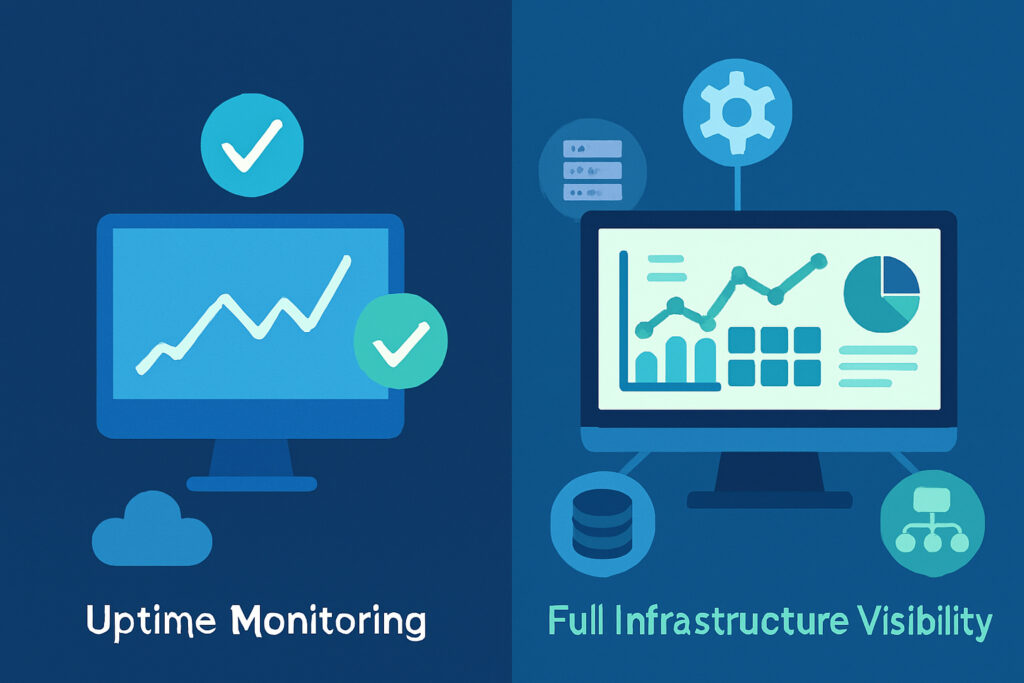
If you run any kind of online service, you probably have some form of uptime monitoring in place. A simple ping check, maybe an HTTP request every few minutes, and you get an alert when things go down. That feels reassuring. Your site is up, the green light is on, everything is fine.
Until it isn’t. And when it breaks, you’re scrambling to figure out why — because your uptime monitor only told you that something failed, not what failed or why.
I’ve been in that situation more times than I’d like to admit. Running multiple services on Debian servers, managing WordPress sites and Python backends, I learned the hard way that uptime monitoring alone gives you a dangerously incomplete picture. This article breaks down the real difference between uptime monitoring and full infrastructure visibility, and why making the jump matters more than most people think.
What Uptime Monitoring Actually Does
Uptime monitoring is straightforward. A service checks whether your server or website responds to requests at regular intervals. If the response comes back with a 200 OK, you’re good. If it doesn’t, you get an alert. Some tools also check response times and SSL certificate expiry.
This is useful. It tells you whether your service is reachable from the outside. For a basic website or a small project, it might be all you need.
But here’s the problem: uptime monitoring is binary. Your server is either up or it’s down. There’s no middle ground, no context, no story behind the numbers. And in real-world infrastructure, the interesting stuff — the stuff that actually causes outages — happens in that middle ground.
The Gap That Nobody Talks About
A few months ago, one of my monitoring services started responding slowly. The uptime check said everything was fine — the server responded within the timeout window every single time. But users were complaining about sluggish dashboards and delayed email alerts.
When I finally dug into the server, the problem was obvious: disk I/O was through the roof because a database table had grown without proper indexing, and the swap was being hammered. CPU usage looked normal at a glance, but the load average told a different story. None of this showed up in my uptime monitor because the server technically never went down.
That experience changed how I think about monitoring. The server was ”up” the entire time. But the service was effectively broken for users.
What Full Infrastructure Visibility Gives You
Full infrastructure visibility means monitoring everything that keeps your services running, not just whether they respond to external requests. This includes CPU and memory usage over time, disk space and I/O performance, network bandwidth and latency, running processes and their resource consumption, service states (is MySQL actually running or did it crash and restart silently?), database performance metrics, and SLA compliance tracking.
With this kind of data, you don’t just know your server is up. You know how it’s running. You can spot a memory leak before it causes an out-of-memory crash. You can see disk space trending downward and add storage before things break. You can notice that a background process is eating 90% of your CPU during business hours.
The shift from reactive to proactive monitoring is the real game-changer here. Instead of finding out about problems when users complain, you catch them while they’re still just trends on a graph.
A Practical Example: The Slow Database Nobody Noticed
Consider a common scenario. You run a web application backed by MySQL or PostgreSQL. Your uptime monitor pings the homepage every 60 seconds. Green across the board. But behind the scenes, a particular query that runs during report generation has gone from 200 milliseconds to 12 seconds because the table grew from 50,000 to 2 million rows and nobody added an index.
With uptime monitoring alone, you won’t see this until the query starts timing out and the whole application grinds to a halt. With infrastructure visibility, you’d see database query times climbing days or weeks before it becomes critical. You’d notice the CPU spikes that correlate with report generation. You’d have time to fix it during a maintenance window instead of at 2 AM on a Saturday.
Making the Transition Step by Step
If you’re currently relying on uptime monitoring only, here’s a practical path to full visibility.
Step 1: Keep your existing uptime checks. External monitoring still matters. It tells you what your users experience from the outside.
Step 2: Install a lightweight monitoring agent on your servers. This is what collects the internal metrics — CPU, memory, disk, network, processes. With something like NetworkVigil, this takes a few minutes per server and the agent runs quietly in the background without impacting performance.
Step 3: Set up baseline alerts. Don’t try to monitor everything at once. Start with disk space above 85%, memory usage above 90%, and CPU sustained above 80%. These catch the most common issues.
Step 4: Add service-specific monitoring. Check that your critical services (web server, database, mail server) are actually running, not just that the machine is up.
Step 5: Review your dashboards weekly. The real value of infrastructure visibility isn’t just alerts — it’s understanding how your systems behave over time. Patterns become obvious when you look at a week’s worth of data.
Common Myths Worth Busting
”Full monitoring is only for large enterprises.” Not true. If you run even a single production server, you benefit from knowing what’s happening inside it. Size doesn’t determine whether you need visibility — complexity and uptime expectations do.
”It’s too complicated to set up.” Modern monitoring platforms have simplified this dramatically. Agent-based monitoring means you install one package and metrics start flowing. There’s no reason to spend days configuring dashboards before you get value.
”Uptime monitoring is enough if my site rarely goes down.” The fact that your site rarely goes down doesn’t mean your infrastructure is healthy. It might mean you’ve been lucky. Or it might mean problems are building up quietly and you just haven’t hit the tipping point yet.
Frequently Asked Questions
Does infrastructure monitoring replace uptime monitoring?
No. They complement each other. External uptime checks show you the user’s perspective. Internal metrics show you the server’s perspective. You want both.
Will a monitoring agent slow down my server?
A well-designed agent uses minimal resources. We’re talking a few megabytes of RAM and negligible CPU. If your server can’t handle that, you have bigger problems.
How many metrics should I track?
Start with the essentials: CPU, memory, disk, and network. Add service-level checks for your critical applications. Expand from there based on what’s actually useful, not what looks impressive on a dashboard.
Is free monitoring good enough?
For most small to mid-sized setups, absolutely. NetworkVigil, for instance, offers full agent metrics and external monitoring at no cost. Premium features like SNMP device monitoring and cloud integrations exist for when your infrastructure grows, but the free tier covers what most teams need.
The Bottom Line
Uptime monitoring tells you your house is still standing. Infrastructure visibility tells you the roof is leaking, the foundation has a crack, and the furnace is about to fail. Both are important, but only one lets you fix problems before they become emergencies.
If you’re managing servers and services that matter — whether it’s for your own business, your clients, or your organization — the jump from basic uptime checks to full infrastructure visibility is one of the highest-value improvements you can make. It doesn’t have to be expensive or complicated. It just has to happen before the next outage catches you off guard.