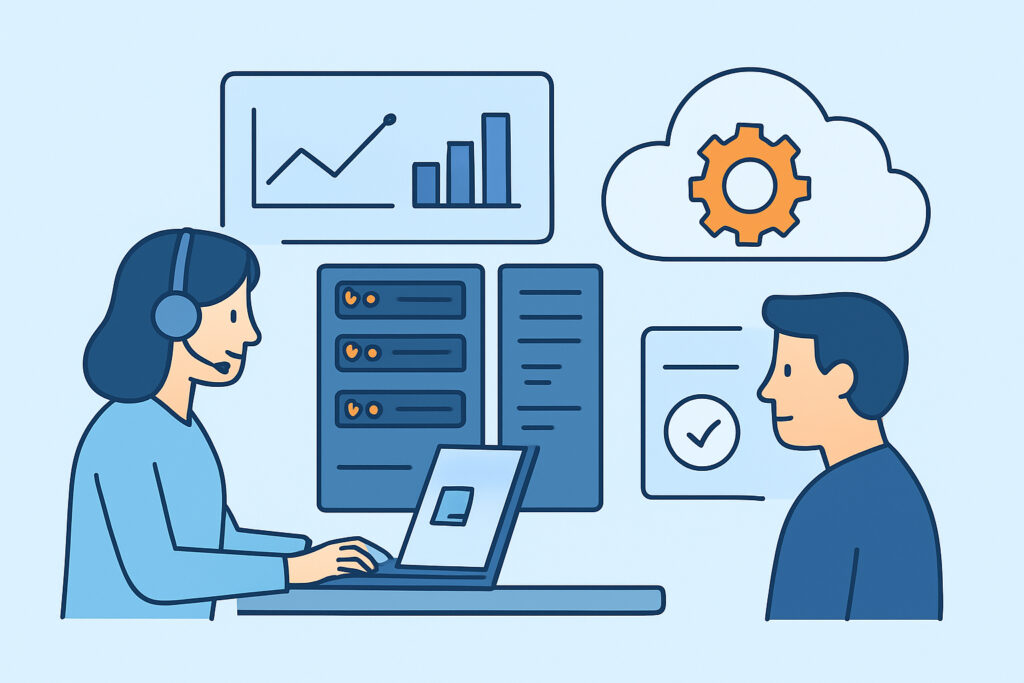
IT departments face an overwhelming challenge: monitoring everything from physical servers to cloud services while keeping systems running smoothly and users happy. IT department monitoring requires a comprehensive approach that covers servers, networks, databases, and applications from a single unified platform, eliminating blind spots that can lead to costly downtime.
Modern IT environments span multiple layers of technology, each requiring different monitoring approaches. The days of checking server logs manually or waiting for users to report problems are long gone. Today’s IT teams need real-time visibility across their entire infrastructure to prevent issues before they impact business operations.
Building Your IT Department Monitoring Foundation
A solid monitoring foundation starts with understanding what needs to be watched. Most IT departments make the mistake of focusing only on servers while neglecting network devices, applications, and external services. This creates dangerous blind spots.
Start with your critical systems first. Identify the servers, databases, and applications that would cause the most business disruption if they failed. These should be your monitoring priorities. A typical IT environment includes physical servers, virtual machines, network switches, databases, web applications, and increasingly, cloud resources.
The key is establishing performance baselines for each system type. Without knowing what normal looks like, alerts become meaningless noise. Document typical CPU usage patterns, memory consumption, disk I/O rates, and network traffic for each system during different times of day and business cycles.
Server Infrastructure Monitoring Essentials
Server monitoring goes beyond basic uptime checks. Modern server monitoring tracks CPU utilization, memory usage, disk space, disk I/O, network traffic, running processes, and system services. Each metric tells part of the story about system health.
CPU monitoring should track both overall utilization and per-core usage. A server showing 50% average CPU might actually have one core maxed out while others sit idle, indicating a single-threaded application bottleneck. Memory monitoring needs to distinguish between used, cached, and available memory – many administrators panic seeing 90% memory usage when most of it is actually disk cache.
Disk monitoring covers both space and performance. Track free space with trending to predict when drives will fill up, but also monitor disk queue length and response times. A disk at 60% capacity but with consistently high queue lengths indicates performance problems that will affect applications before space runs out.
Process monitoring reveals what’s actually consuming resources. Track critical service status, but also watch for unexpected processes that might indicate security issues or runaway applications consuming resources.
Network and Service Monitoring Integration
Network monitoring often gets treated as a separate discipline from server monitoring, but this separation creates operational inefficiencies. When an application runs slowly, teams waste time determining whether it’s a server performance issue or network congestion.
Comprehensive network monitoring includes bandwidth utilization, packet loss, latency, and device health for switches, routers, and firewalls. But the real value comes from correlating network metrics with server and application performance data.
Service status monitoring bridges the gap between infrastructure and user experience. Monitor not just whether services are running, but whether they’re responding correctly. A web server process might be running but returning error codes, or a database service might be accepting connections but responding slowly to queries.
External monitoring provides the user’s perspective. Check website availability, SSL certificate validity, and API response times from outside your network. Internal monitoring might show everything working perfectly while users can’t reach your services due to DNS issues or external network problems.
Database and Application Layer Visibility
Database monitoring requires specialized attention because databases often become performance bottlenecks without obvious symptoms at the server level. Monitor connection counts, query execution times, lock contention, and buffer cache hit ratios. A database server with normal CPU and memory usage might still have performance problems due to poorly optimized queries or insufficient indexes.
Application monitoring covers the software layer that users actually interact with. This includes web application response times, error rates, and transaction volumes. Many applications have their own logging and metrics, but correlating this data with underlying infrastructure metrics reveals the complete picture.
Container and microservices environments add complexity by creating dynamic, ephemeral workloads. Traditional host-based monitoring approaches don’t work well when containers start, stop, and move frequently. Monitor both the container orchestration platform and individual container resource usage.
Implementing Unified Dashboard Strategy
The biggest mistake IT departments make is creating monitoring tool sprawl – different tools for servers, networks, databases, and applications. This forces administrators to check multiple dashboards during incidents, wasting precious time and missing correlations between systems.
A unified dashboard approach consolidates metrics from all infrastructure layers into coherent views. Create role-based dashboards that show relevant information for different team members. Network administrators need different views than database administrators, but during incidents, everyone benefits from seeing the complete infrastructure picture.
Dashboard design should follow the inverted pyramid principle: high-level health indicators at the top, with the ability to drill down into specific metrics. Avoid cramming every available metric onto dashboards – focus on metrics that actually indicate problems or trends requiring action.
Set up automated alert escalation workflows that consider business impact and time of day. A web server failure during business hours requires immediate attention, while the same issue at 2 AM might only need email notification unless it persists.
Common IT Department Monitoring Myths
One persistent myth is that more monitoring equals better monitoring. Adding every possible metric to dashboards creates information overload and alert fatigue. Focus on metrics that predict problems or indicate user impact, not just interesting technical data.
Another misconception is that expensive enterprise monitoring tools automatically provide better results. Many IT departments struggle with complex enterprise platforms that require dedicated staff to maintain, while simpler tools would meet their actual monitoring needs more effectively.
The myth that synthetic monitoring (artificial test transactions) isn’t necessary because real user monitoring exists also causes problems. Synthetic monitoring can detect issues before they affect users, while real user monitoring only shows problems after users experience them.
Frequently Asked Questions
How do I prioritize which systems to monitor first with limited time and budget?
Start with systems that directly impact users or revenue. Monitor your primary web servers, main database servers, and core network infrastructure first. Add monitoring for supporting systems once your critical path is covered. Document dependencies between systems to understand which failures will cascade.
What’s the difference between monitoring servers and monitoring services?
Server monitoring tracks the underlying hardware and operating system resources like CPU, memory, and disk. Service monitoring checks whether applications and services are functioning correctly from a user perspective. A server might have healthy resources but still serve error pages due to application problems.
How often should monitoring data be collected and how long should it be retained?
Collect critical metrics every minute for real-time alerting, but store longer-term trend data at lower resolution to save storage space. Retain high-resolution data for at least 7 days for troubleshooting, and keep daily averages for at least a year for capacity planning and trend analysis.
Effective IT department monitoring requires treating infrastructure as an interconnected system rather than isolated components. The goal isn’t collecting every possible metric, but gaining actionable insights that help maintain reliable, performant systems that serve business needs. Success comes from implementing monitoring that scales with your infrastructure while remaining manageable for your team.