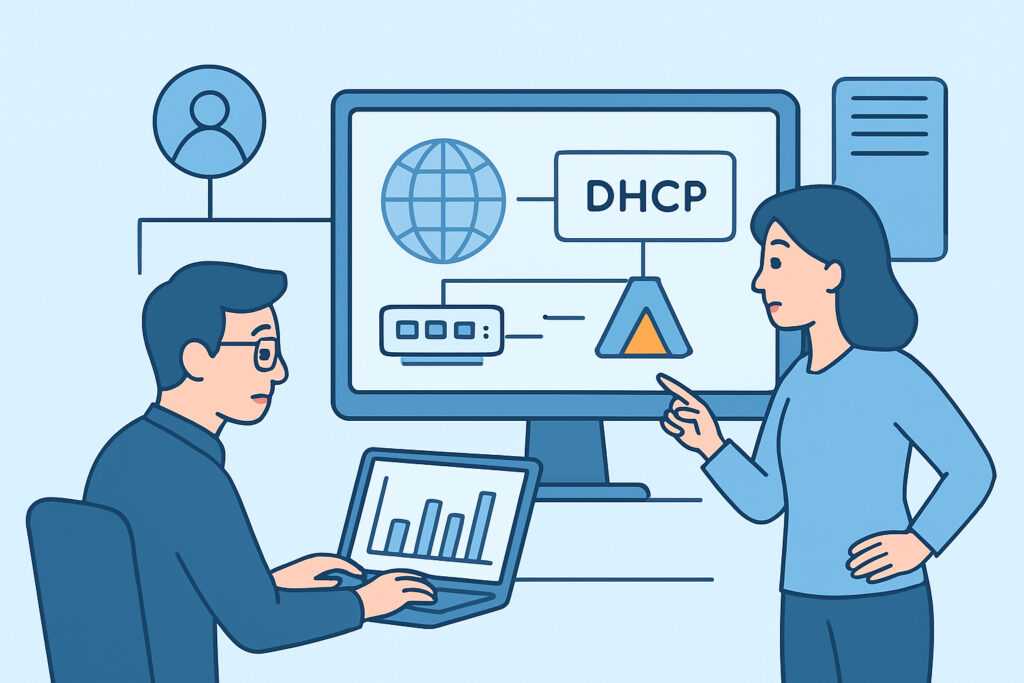
Enterprise networks live or die by two services that rarely get the attention they deserve until something breaks: DHCP and Active Directory. When DHCP scope exhaustion hits on a Monday morning and 200 workstations can’t get an IP, or when an AD domain controller silently stops replicating for three days, the fallout is immediate and visible to every employee in the building. This article covers what to monitor on both services, why the default “is the service running” check misses the failures that actually cause outages, and how to build alerting that catches problems before the help desk phone starts ringing.
Why DHCP failures escalate faster than most outages
DHCP is deceptively simple until it isn’t. A typical enterprise scope with a /23 subnet gives roughly 510 usable addresses, and with an 8-day lease time that’s fine for a stable office of 300 devices. Add a guest Wi-Fi SSID, a BYOD policy, and a few hundred IoT badge readers and conference room devices, and that same scope can exhaust in under 48 hours during a busy week.
The failure mode is nasty because it’s gradual, then sudden. Address utilization creeps from 70% to 85% to 95% over days, and nobody notices until it hits 100% and new devices start failing to obtain a lease. At that point, laptops reconnecting after lunch, phones rejoining Wi-Fi, and any DHCP-reliant IP camera all fail at once.
What to actually track:
– Scope utilization percentage per subnet, not just “server is up” — alert at 80% as an early warning and 90% as urgent
– Lease duration anomalies — a sudden spike in short-lived leases often means a rogue DHCP server or a misconfigured relay agent
– DHCP server response time — Windows Server DHCP role and ISC DHCP both degrade under load before they fail outright
– Failover partner sync state, if you’re running DHCP failover (RFC 3074 hot-standby or load-balance mode) — a partner falling out of sync means you’re one server failure away from an outage
A common mistake here is monitoring the DHCP service status (running/stopped) and calling it done. The service can report “running” while the scope is fully exhausted or while it’s silently dropping DHCPDISCOVER packets due to a full audit log on Windows Server. Service-level checks and capacity-level checks are two different problems and both need coverage.
Active Directory: replication health is the metric that matters
Active Directory monitoring gets treated as “ping the domain controller” far too often. That catches maybe 20% of the failure modes an AD environment actually experiences. The other 80% comes from replication failures, SYSVOL inconsistencies, time sync drift, and FSMO role holder problems — none of which show up as a dead ping.
Replication is the big one. In a multi-site AD forest, domain controllers replicate changes to each other on a schedule (commonly every 15 minutes intra-site, longer inter-site depending on your site link cost configuration). When replication breaks — a firewall rule change blocks port 389/636, a DC’s system volume fills up, a trust relationship breaks — the symptom isn’t an outage. It’s silent drift. Group Policy changes stop propagating to one site. Password resets on one DC don’t show up on another for hours. Users start reporting “it works from my laptop but not from the conference room PC” and nobody connects it to AD replication until someone runs repadmin /replsummary and finds a DC that hasn’t replicated in six days.
Kerberos time skew is the other classic. AD Kerberos authentication fails if client and DC clocks drift more than 5 minutes apart by default (the MaxClockSkew policy). A DC losing NTP sync — often because its upstream time source, usually the PDC emulator, lost external time sync — causes authentication failures that look like random, intermittent login problems across a whole site. This is one of the more misdiagnosed AD issues because the error message users see (a generic login failure) gives no hint that the root cause is a clock.
Metrics worth alerting on for AD
A practitioner setting up AD monitoring for the first time typically starts with these, in rough priority order:
– Replication latency and failure count per DC (via repadmin or the Microsoft AD replication status tool)
– LSASS process CPU and memory — LSASS handling authentication load is a strong early indicator of DC stress before users notice slow logins
– SYSVOL and NTDS.dit disk space — NTDS.dit grows over time and a full volume on a DC is catastrophic
– NTP/time sync offset per DC, checked against the PDC emulator
– FSMO role holder reachability — if the RID master goes offline for an extended period, new object creation (users, computers, groups) across the whole domain eventually fails once the local RID pool is exhausted
– DNS SRV record health for _ldap._tcp and _kerberos._tcp — AD depends on DNS almost as much as it depends on the DC processes themselves
That’s a longer list than most teams start with, and it’s fine to phase it in — replication health and disk space first, LSASS and time sync second, FSMO and DNS SRV checks third.
A myth worth retiring: “AD monitoring is just service uptime”
The most persistent misconception is that if Active Directory Domain Services shows as “Started” in services.msc, AD is healthy. It isn’t. A DC can have the service running, respond to LDAP binds, and still be badly broken — replicating stale data, holding an expired Kerberos ticket cache, or serving authentication requests with a five-minute time skew that fails half of them. Uptime is a necessary condition for AD health, not a sufficient one. Real AD monitoring has to look inside the service: replication state, event log entries (particularly Directory Service and DNS Server event logs), and time sync — not just whether the process PID exists.
Building this into a monitoring workflow
Combining DHCP scope utilization and AD replication health into a single view matters because these two services fail together more often than people expect — a DC that’s out of disk space can affect both DNS resolution (which AD depends on) and any DHCP server co-located on the same box. Centralizing metrics from both, alongside general server health (disk, memory, event logs), avoids the trap of checking five different consoles during an incident. For teams already running Windows Server monitoring for event logs and performance counters, extending that same agent-based approach to DHCP scope stats and AD replication metrics is a natural next step rather than standing up a separate tool.
Thresholds should be tuned to your actual scope sizes and DC topology rather than copied from a vendor default — a /24 guest network churns leases far faster than a /26 server VLAN, and a two-DC single-site domain has very different replication expectations than a 12-site forest.
FAQ
How often should DHCP scope utilization be checked?
Every 5–15 minutes for production scopes. Guest Wi-Fi and BYOD scopes churn fast enough that hourly checks can miss an exhaustion event that builds and resolves between polling intervals. Set a warning threshold at 80% utilization and a critical one at 90–95% so there’s lead time to extend the scope or shorten lease duration before devices start failing.
What’s the earliest sign of AD replication trouble?
An increase in replication latency between specific site pairs, visible via repadmin /showrepl or /replsummary, usually shows up before a full replication failure. A single failed replication cycle isn’t necessarily alarming — DCs retry automatically — but a DC that hasn’t successfully replicated in over 24 hours (the default tombstone-adjacent warning threshold many admins use) needs immediate attention.
Can DHCP failover fully eliminate the risk of scope exhaustion?
No. DHCP failover (hot-standby or load-balance) protects against a single server going down, but both partners share the same address pool, so if the pool itself is undersized for the number of active leases, failover doesn’t create more addresses. Capacity planning and failover are separate problems that both need attention.
Get the basics right — scope utilization trending, replication latency per DC, time sync offset, and disk space on domain controllers — and most DHCP and AD incidents get caught as a warning-level alert days before they’d otherwise surface as a help desk ticket flood.